REST Attachments
Note
We have identified some use cases where ReadyAPI Windows users require broader character encoding through UTF-8. To set encoding to UTF-8, you need to make one configuration change to <readyapi-installation-folder>\bin\ReadyAPI.vmoptions. Insert a new line at the end and add -Dfile.encoding=UTF-8. Save, close the file, and open ReadyAPI. For additional details on setting the encoding to UTF-8, refer to the Unicode Support page.
REST sends attachments as MIME parts in a message with multipart/form-data media type.
Requirements
To send an attachment, your request must have a payload. For example, a GET request cannot have attachments because it does not have a payload.
Sending a Request to REST Services
In the Message Body
To send an attachment to a REST service:
Open the Attachments panel and click
 Add Attachment.
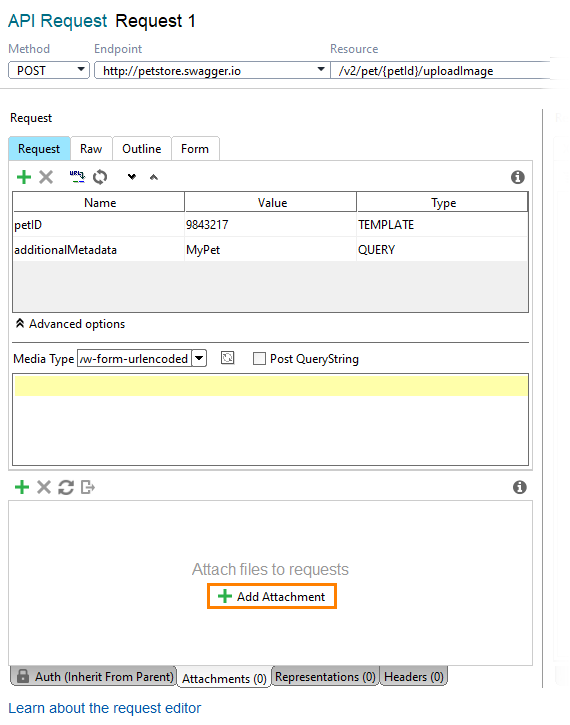
Select the file you want to send. ReadyAPI will ask you if you want to cache it in the request. Uncached attachments are read from the file directly each time the request is sent. Cached attachments are stored in the project, so you can remove the original file.
Important
Open the Request editor and set the request media type as
multipart/form-dataormultipart/mixed.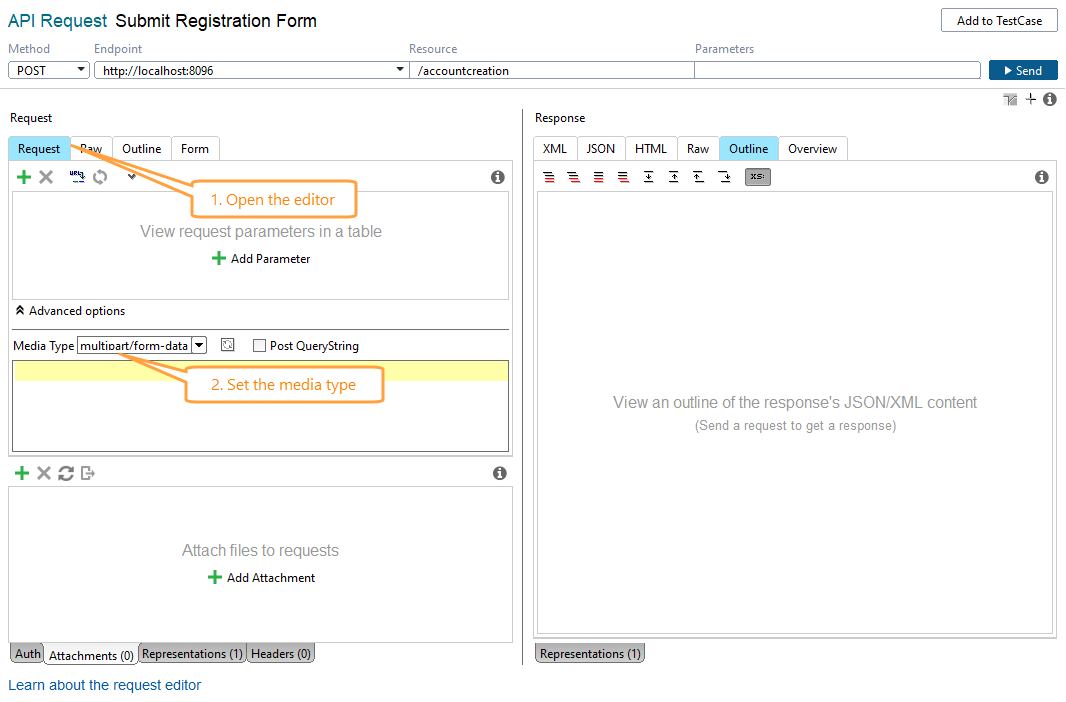
Controlling how attachments are sent
The Attachments table includes a Send as column that controls how each attachment part is sent in a multipart/form-data request:
 |
Option | Description |
|---|---|
File (default) | Sends the attachment as a file part. The |
Text | Reads the content from the attached file and sends it as a plain form-data part. The |
The Content-Type you set for the attachment row applies in both modes.
The Send as setting is saved in the project file. You can configure different modes for individual attachments in the same request.
Note
The Send as column is available for REST requests only. SOAP attachments do not support this option.
Sending an attachment as a formData parameter
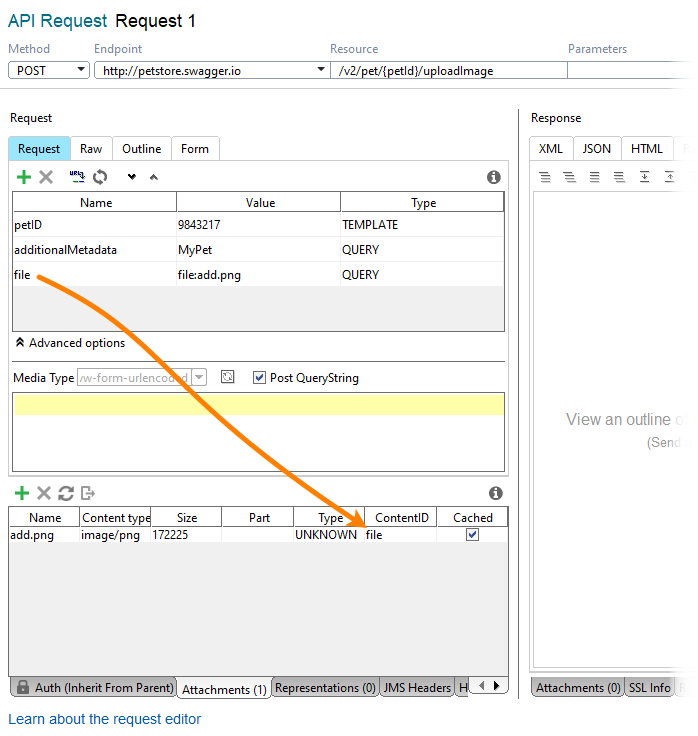
Some services require that you send attachments as a formData parameter in the body. In this case, additional configuration is required:
Attach the file to the project as described above.
Enable the Post QueryString option.
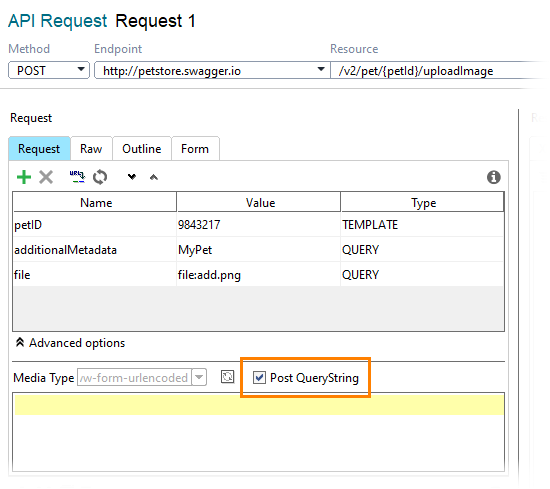
Make sure the parameter that you use to attach the file has the
QUERYtype. Then, specify the file to be attached by usingfile:filename.txtas a parameter value.Tip
You can specify
file:C:/<folder>/<filename>as a parameter value to attach a file from the computer. It will not be cached in the project.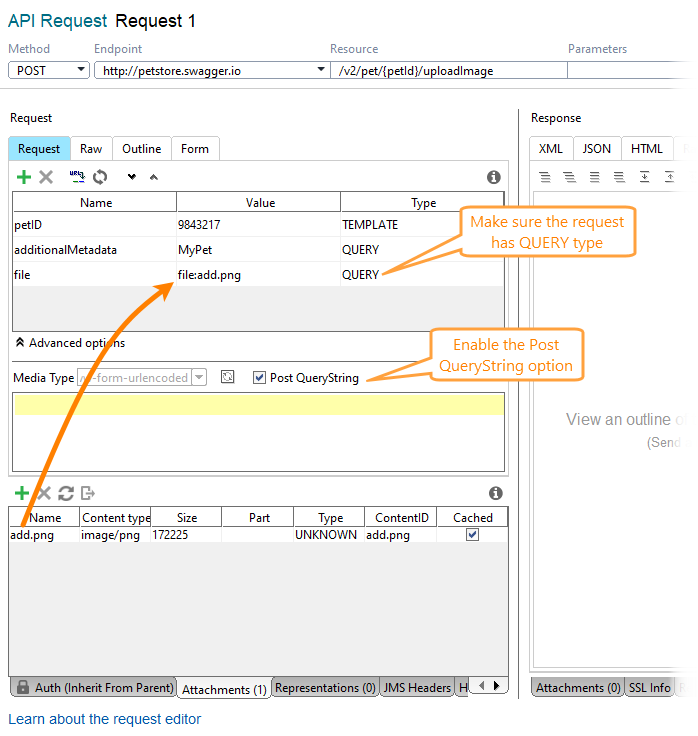
In the Attachments panel, input the name of the parameter in the ContentID column.