Activate ReadyAPI License
Important Notice for ReadyAPI Customers
Starting from ReadyAPI 3.62.0, VirtServer 3.29.0, and TestEngine 1.34.0, SmartBear has deprecated file-based licenses in favor of the ID-based SmartBear License Management (SLM) system. As of October 1, 2025, file-based licenses are no longer issued, activated/deactivated, or supported; all new and updated licenses are managed through SLM. For further information and timelines, refer to the File-Based License End-of-Life Policy page.
You can have a license for the entire ReadyAPI product or its modules: Test, Performance, or Virtualization.
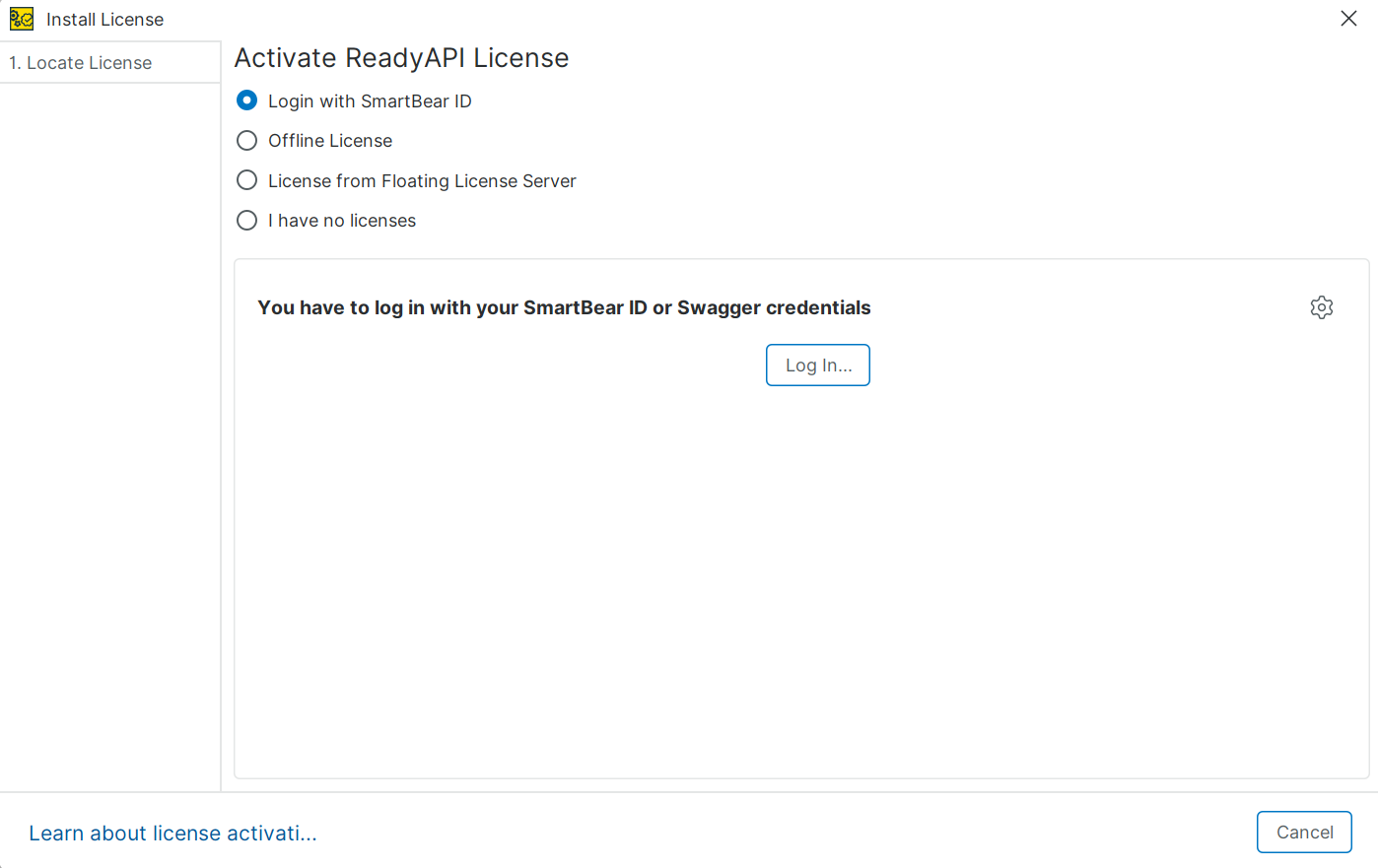
To use ReadyAPI or its modules, you must activate the license. You perform activation in the Install license dialog box. ReadyAPI opens this dialog the first time you launch the product after installation. You can also open it by selecting Help, then License Manager, and in the License Manager dialog, clicking Install License.
 |
License types
ReadyAPI uses SmartBear ID-based licenses.
SmartBear ID-based: A key-based license type introduced in ReadyAPI 3.8.1. This license type requires users to sign in with a SmartBear account (SmartBear ID). It replaces license files and provides a simpler way to activate and manage licenses.
For details about license management, see About ReadyAPI Licenses.
Activation options
Option | When to use |
|---|---|
Login with SmartBear ID | Choose this option if you have a SmartBear account, that is, if you have a SmartBear ID-based license. You need to specify your account email and password. Using this option implies you have a ReadyAPI license assigned to you in the SmartBear Licensing Portal. |
Offline License | Choose this option if you work in a private network or on a computer without internet access. You generate a machine fingerprint in ReadyAPI, send it to your license administrator, and then apply the license data they provide through the SmartBear Licensing Portal. |
License from Floating License Server | Choose this option if you have a licensing server in your local network. That licensing server should be activated with a SmartBear ID On-prem floating license. |
I have no license | Select this option of you don't have a SmartBear account. ReadyAPI displays a dialog box in which you can start a trial or purchase a license. |