Advanced Options
Use the advanced OAuth 2.0 settings to define how ReadyAPI handles the access token.
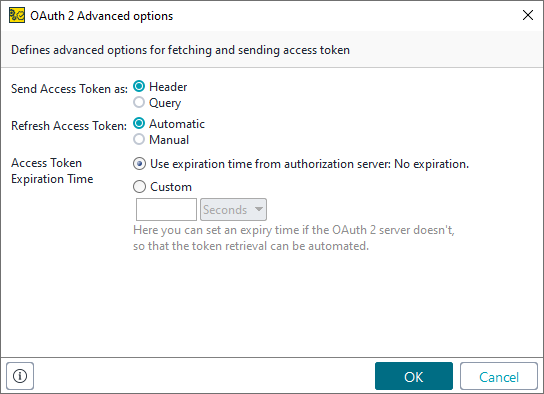 |
There are three settings: one relates to sending requests; the others relate to refreshing the access token.
Send Access Token As
The Send Access Token option specifies where ReadyAPI sends the access token.
Option | Description | Example |
|---|---|---|
Header | Sends the access token as the request header. |
|
Query | Sends the access token as a query parameter. |
|
Refresh Access Token
The Refresh Access Token option controls whether ReadyAPI automatically refreshes an expired access token.
Tip
Use the Access Token Expiration Time option to configure when ReadyAPI marks an access token as expired.
Option | Description |
|---|---|
Automatic | (Default) ReadyAPI updates the access token automatically. If the authentication server provides a refresh token, ReadyAPI uses it to get a new access token. Otherwise, ReadyAPI runs automation if configured. |
Manual | Update the access token manually. If the authentication server provides a refresh token, click Refresh next to the access token to get a new one. NoteThe Refresh button is not available if the authentication server does not provide a refresh token. |
Access Token Expiration Time
The Access Token Expiration Time option defines the expiration time for the access token. Use the expiration time the server provides, or specify a custom time manually.
Note
The 0 value indicates that the token never expires. There is no setting for immediate expiration.
Option | Description |
|---|---|
Server | ReadyAPI uses the expiration time provided by the authorization server. |
Custom | ReadyAPI marks the token as expired after the specified number of seconds, minutes, or hours elapse. |