2. Explore Test Project
View the project in the Navigator
You can see the created test project in the Navigator panel on the left:
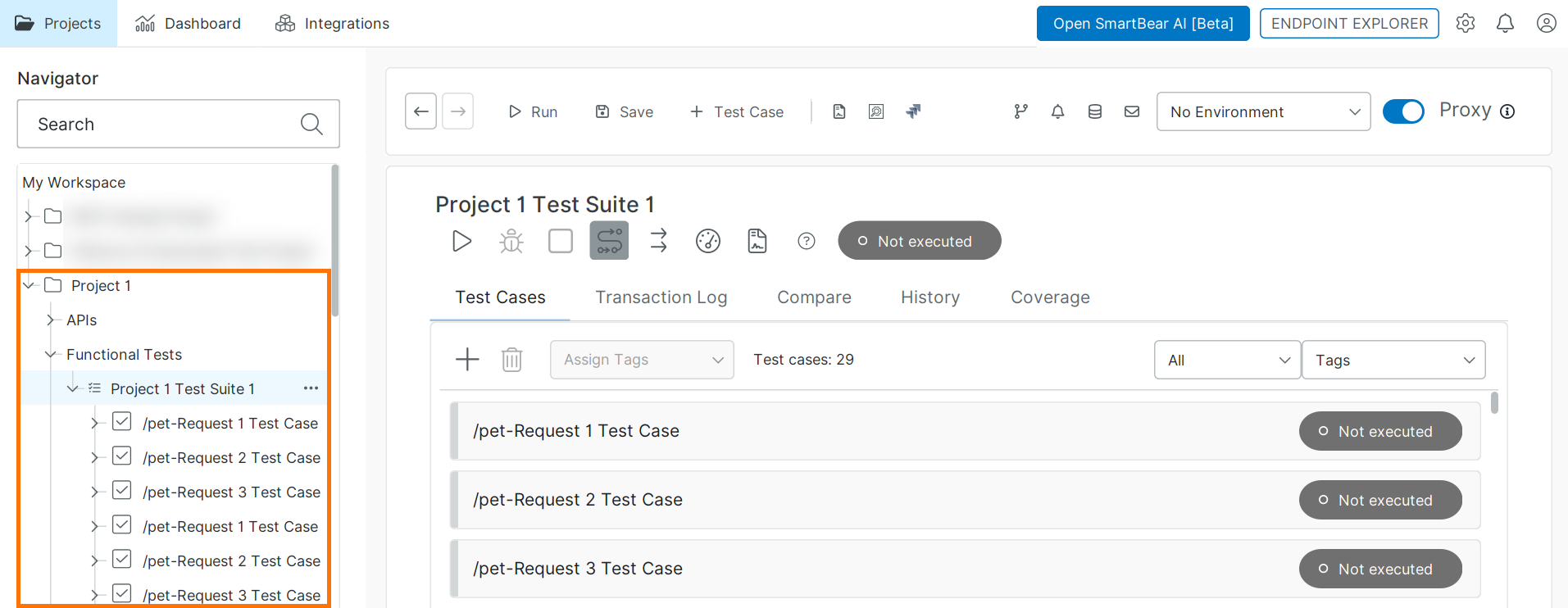 |
The project contains multiple test cases (one per operation), grouped into a test suite.
In this tutorial, each test case contains a single request test step. In real scenarios, test cases typically include multiple steps.
Explore the API structure
To explore the service, expand the APIs node in the Navigator. The API is displayed as a tree structure of resources, operations, and requests:
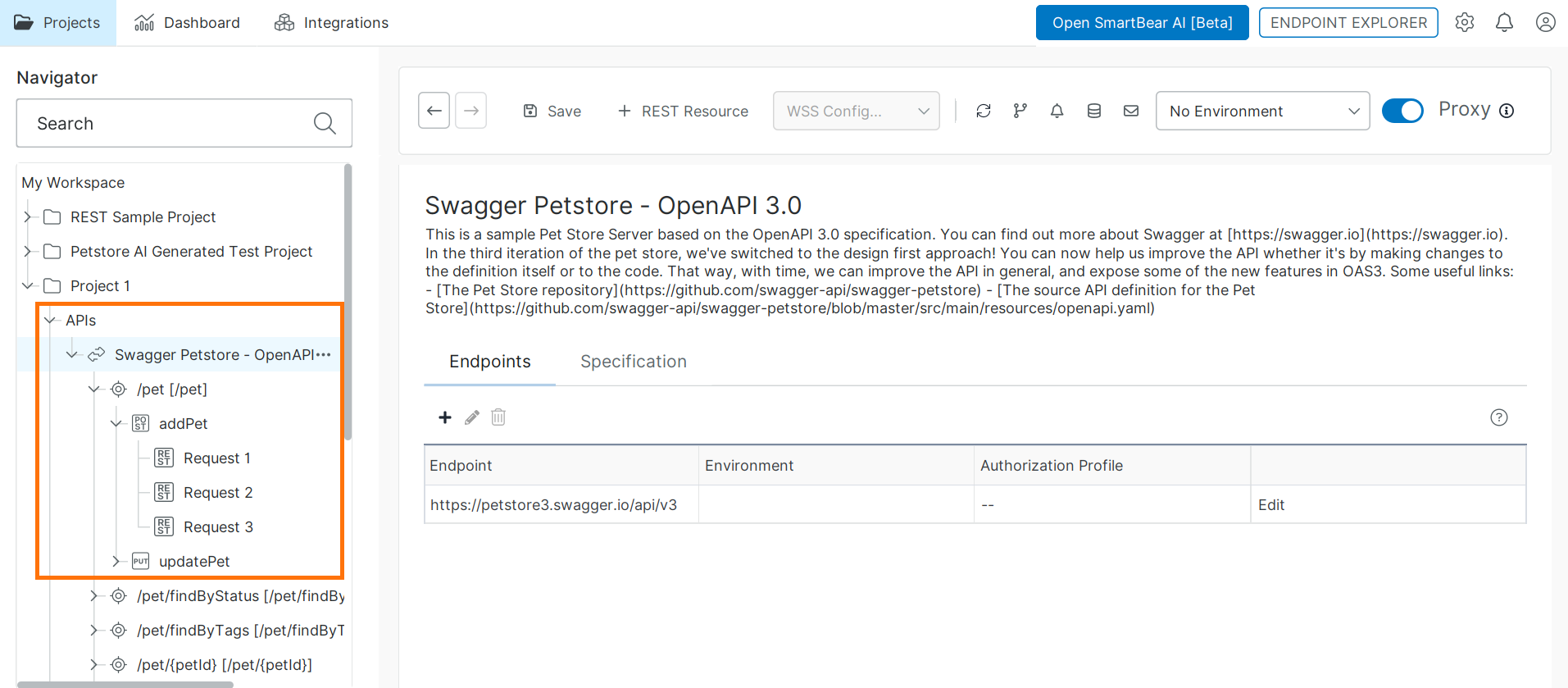 |
The Navigator displays your API as a hierarchy:
Level | Description | Example |
|---|---|---|
API | The imported service | Swagger Petstore |
Resource | An endpoint path in the API |
|
Operation | An HTTP method available on the resource |
|
Request | A request you can run and edit in ReadyAPI |
|
In this hierarchy, the top-level node represents the API. Its child nodes represent resources (endpoints), which contain operations and requests.
Work with requests
Select a request in the Navigator to open it in the request editor, where you can configure and run the request.
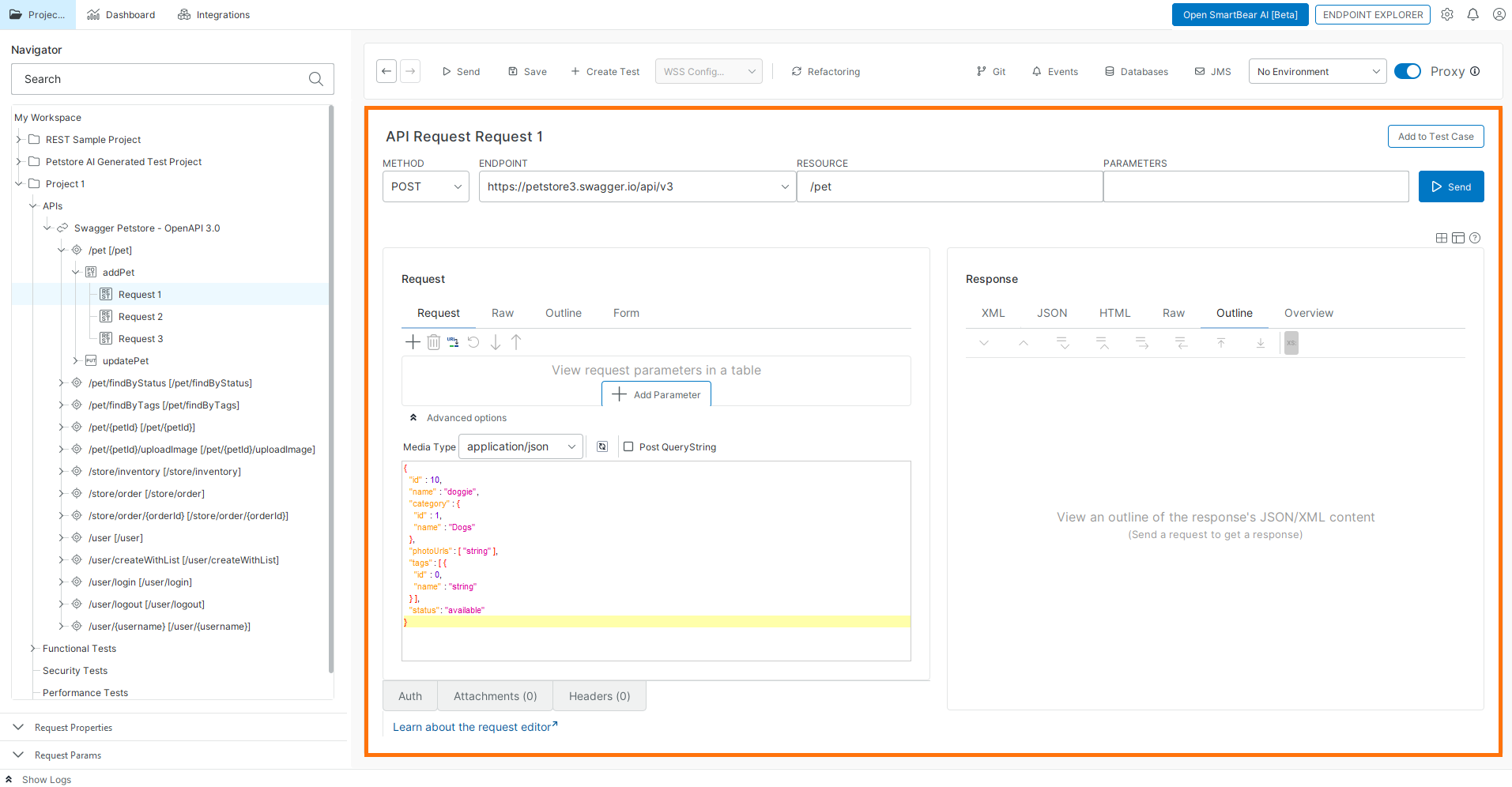 |
In the request editor, you can:
Modify request parameters
Edit the request body
Send the request and view the response
Some resources contain multiple operations with different HTTP methods. Each operation can include one or more requests.
The requests in the APIs node act as templates that you can reuse when building test cases in the Functional Tests node.
Additional notes
In your project, you can create multiple request templates for a single resource as needed.
You can send a request directly from the request editor to verify its behavior. This runs the request independently.
Next step
In the next step of this tutorial, you will add a request to a test case and modify request parameters.