New Test Tile
The New Test tile is a shortcut for creating tests, projects, and virtual API services. Using this tile, you can create:
Below is a sample view of the tile:
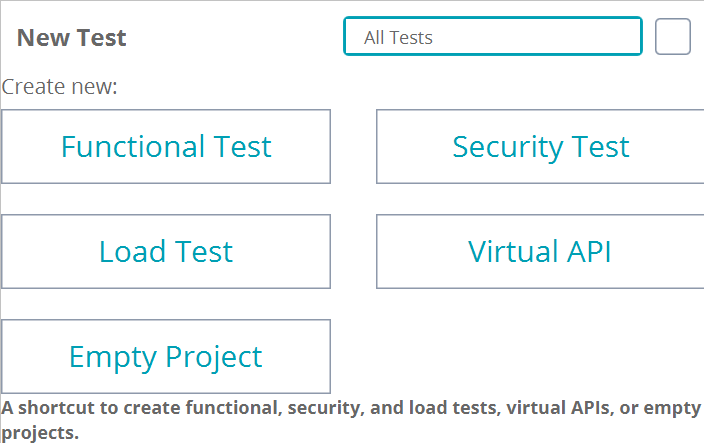 |
Important
The New Test tile option may vary depending on the ReadyAPI license you have. For details, see Requirements.
Requirements
The content of the New Test tile depends on your ReadyAPI licenses.
If you have only one license, you can create only matching tests. For example, if you have a ReadyAPI Performance Pro license, you can create only load tests using the tile. In this case, the tile looks like this:
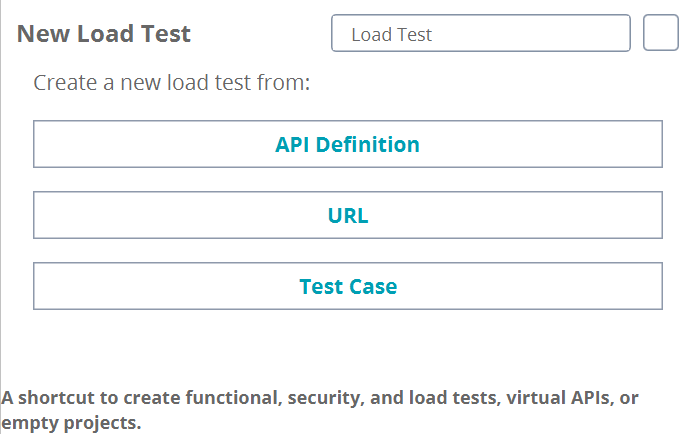 |
The only exception is the ReadyAPI Test Pro license. Along with functional and security tests, it enables a user to create load tests and virtual APIs, providing access to the Basic features of ReadyAPI Performance and ReadyAPI Virtualization.
If you do not have ReadyAPI licenses, you can request them on our website:
ReadyAPI Test Pro license (API functional and security testing).
ReadyAPI Performance Pro license (API load testing).
ReadyAPI Virtualization Pro license (service virtualization).
Filter and Create Tests
If you have several ReadyAPI Pro licenses, you can filter which tests to show in the tile. To do this, click the drop-down list and select the required test type or select All Tests to display all the available test types in the tile.
Using this tile, you can create functional, load, and security tests, and virtual APIs in different ways:
Create a new | From |
|---|---|
Functional test | |
Load test | |
Security test | |
Virtual API | |
To create a new test in one of the suggested ways, click the matching item in the tile and perform the steps required for the selected test.