Functional Test Sample Project
ReadyAPI includes samples that show how you can create functional tests against SOAP and REST APIs, virtualize APIs, and add authentication to your requests.
Important
The changes you make to sample projects cannot be saved. This means that, if you make some changes, you will have to save the project as a new one. The original file will remain unchanged.
ReadyAPI Test Samples
Project | Description |
|---|---|
SOAP Sample Project | Contains a wide variety of tests that send requests to the included SOAP virtual API. Some tests are created to test the service behavior in case of incorrect requests or to show how to create complex scenarios in ReadyAPI. |
REST Sample Project | Simulates a user viewing the authorization form and logging in to the attached REST virtual service. |
Data-Driven Sample Project | Takes data from a Grid data source and sends multiple requests to the Google Maps API. NoteFind the link to this project on the Dashboard. |
Virtualization Sample Project | Demonstrates how to use ReadyAPI to test both REST and SOAP services in the same project. Contains two test cases working with SOAP and REST virtual APIs. |
Authentication Sample Project | Contains the test cases that show how you can authenticate to a service in ReadyAPI:
|
Kafka Sample Project | Contains a test case that simulates a publisher and a subscriber that interact with a topic. ImportantThis sample project uses a Kafka broker running in Docker. You can find the |
gRPC Sample Project | Contains a gRPC service with a Unary operation and a test case simulating a gRPC request. ImportantThis sample project uses a gRPC service running in Docker. |
MCP Sample Project | A getting-started project for MCP-driven workflows (generate, analyze, heal, test) against a Car Rental Booking API scenario. The project ships with a ready-to-run v1 functional test and two OpenAPI definition files. Requires a configured MCP server connection. For more information, see Getting Started with MCP and MCP Integration. |
Location
You can find ReadyAPI sample projects in the <ReadyAPI>/tutorials folder:
• Windows: |
↑ Program Files or Program Files (x86) |
• Linux: |
|
• MacOS: |
|
How to Open
Select File > Import Project from the main menu, and then choose a sample project file in the subsequent dialog:
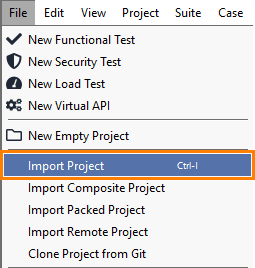 |
ReadyAPI project files have the .xml extension.
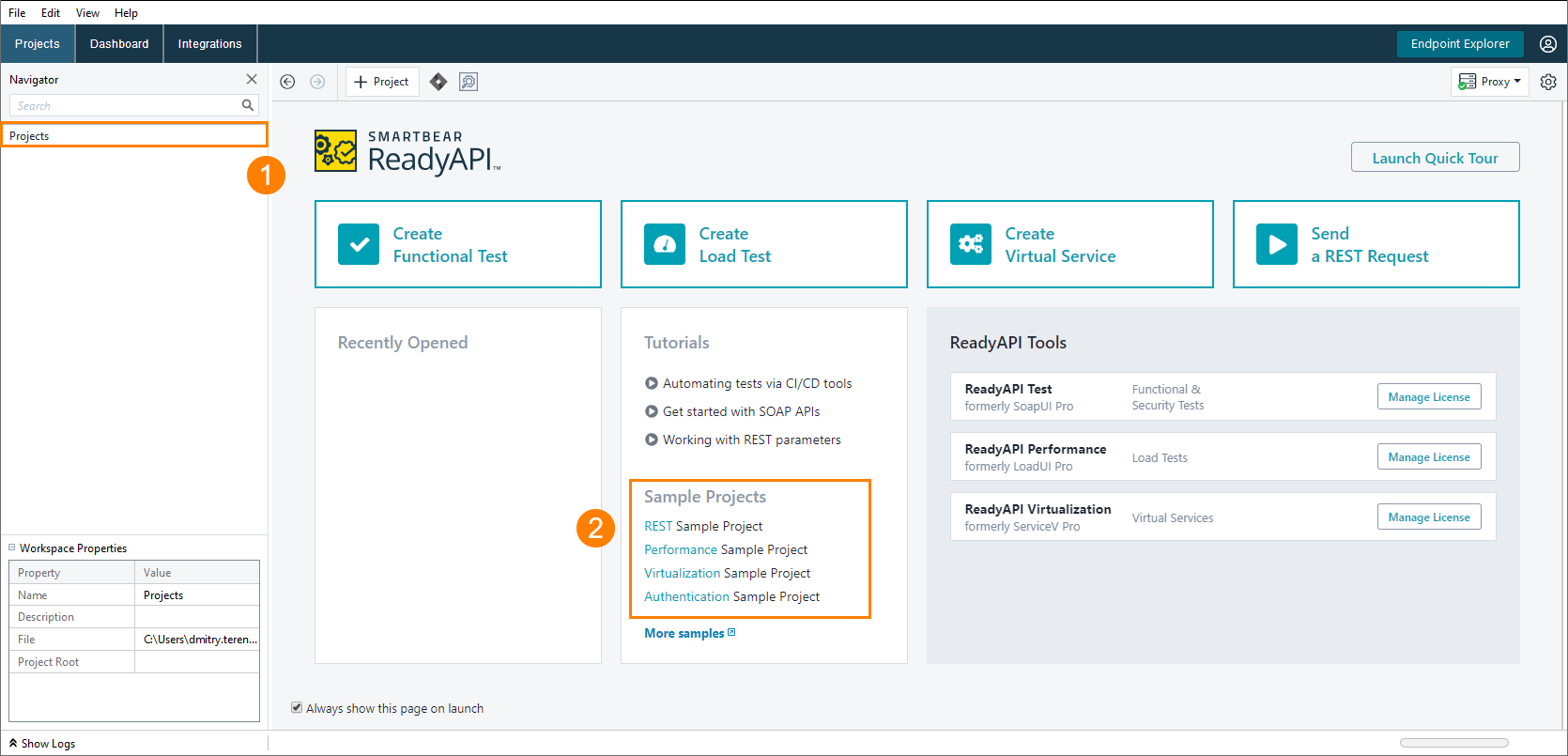
Open the start page and select the project you need from the Sample Projects list:
 |
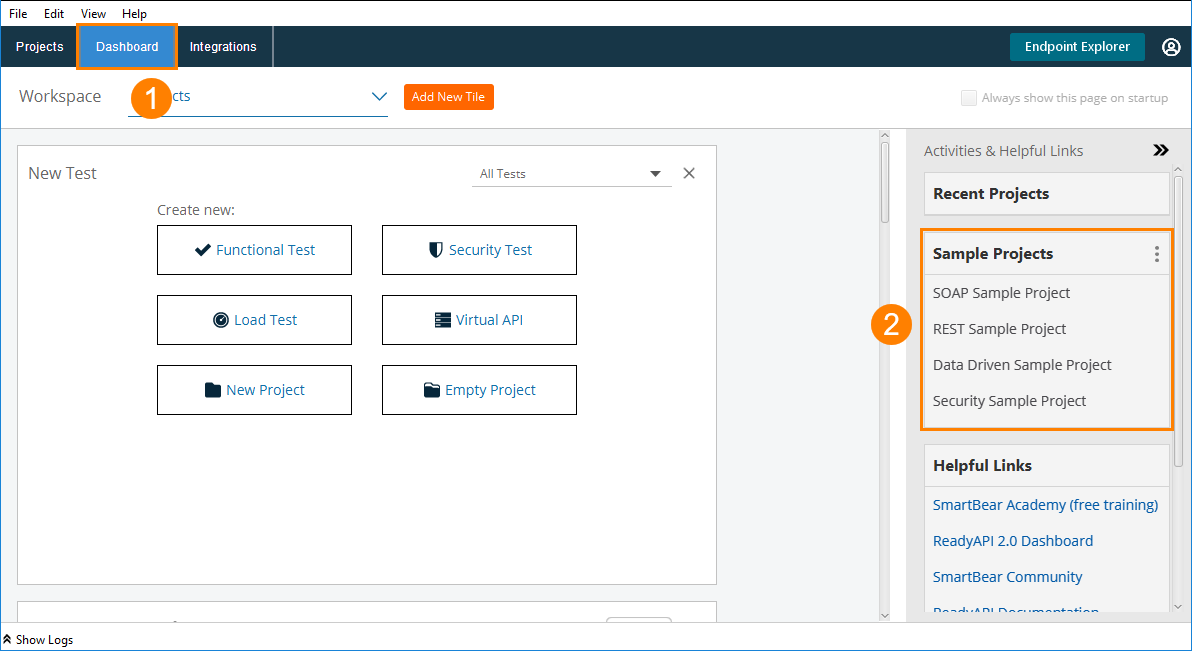
Switch to Dashboard and find the project you need in the Sample Projects section:
 |
Tip
By default, this section displays all the sample projects in ReadyAPI. Click  and select Test Projects to limit the options to functional tests, security tests and Online Service examples.