Resource Owner Password Credentials Grant
The Resource Owner Password Credentials is one of the OAuth 2.0 grant types supported in ReadyAPI. With this grant, the client application uses the resource owner’s password to obtain an access token, and then discards the password. Optionally, ReadyAPI also sends a refresh token.
To configure OAuth 2.0 authentication in ReadyAPI, see Enabling OAuth 2.0 Authentication or Enabling OAuth 2.0 Authentication with Azure Active Directory.
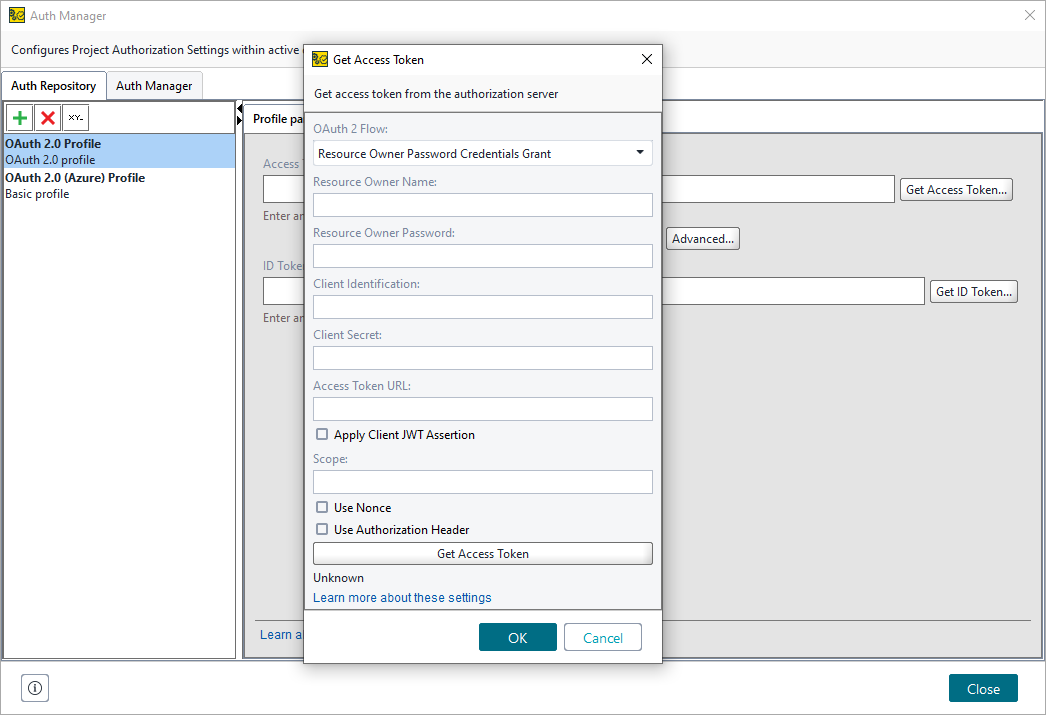 |
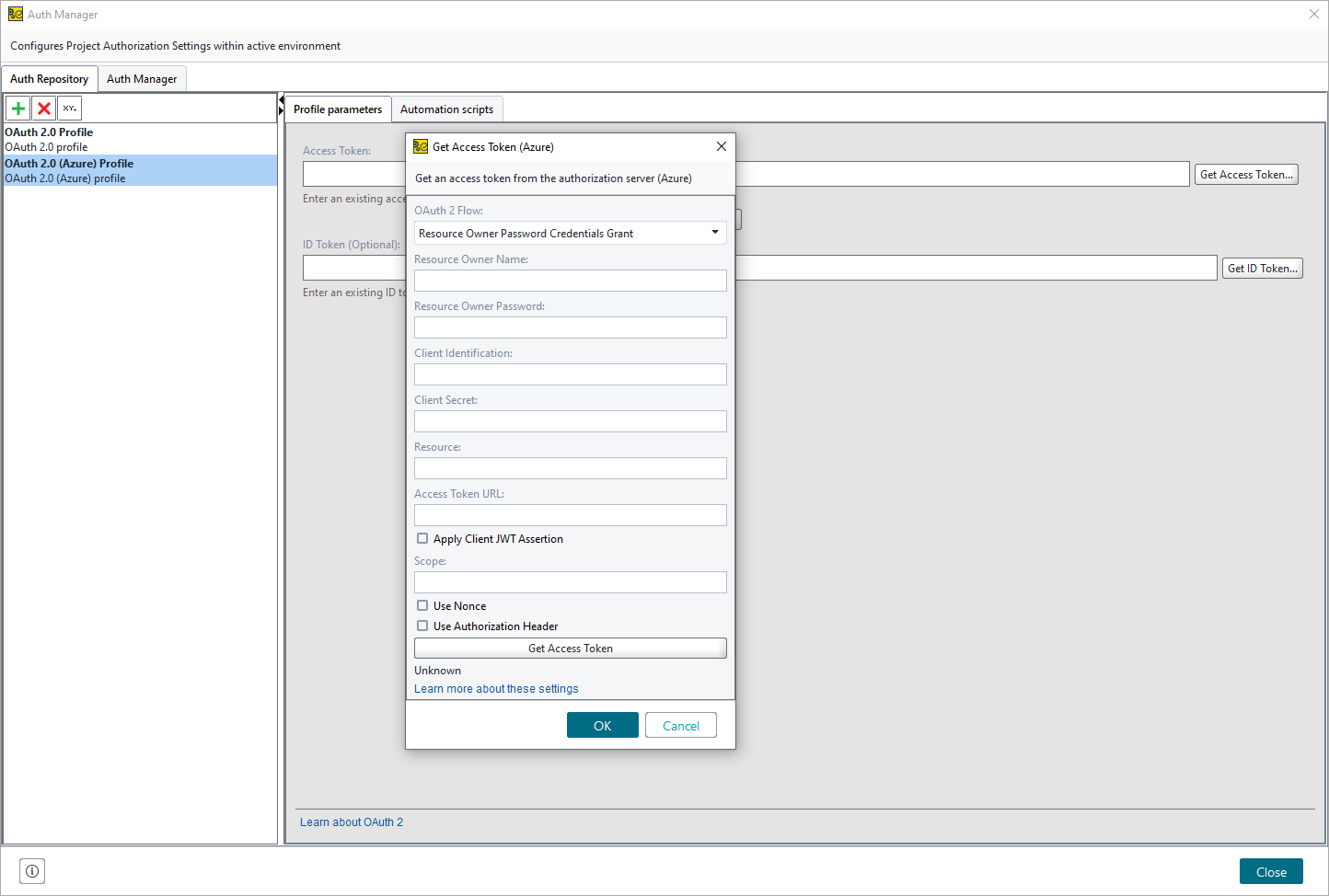 |
Option | Description |
|---|---|
OAuth 2 Flow | Sets the OAuth 2.0 method to use. |
Resource Owner Name | The name of the resource owner. |
Resource Owner Password | The password of the resource owner. |
Client Identification | An alphanumeric string used to identify the client. |
Client Secret | The secret string the client will use. |
Resource | (For Azure only) The App ID URI of the web service. ImportantMicrosoft Identity Platform v2.0 does not support this parameter. |
Access Token URL | The URL to use to get an access token. |
Apply Client JWT Assertion | Select if you need to include a JSON Web Token (JWT) assertion in the authorization request. |
JWT Assertion | Is available if you selected Apply Client JWT Assertion. Specifies the JSON Web Token (JWT) that will be included in the authorization request as a JWT assertion. You can specify it manually or generate it. |
Generate JWT | Is available if you selected Apply Client JWT Assertion. Click it to generate a JSON Web Token. The generated token will be written to the JWT Assertion field. See Generating JSON Web Token. |
Scope | The full scope string defining the requested permissions. |
Use Nonce | Select to generate a unique string for each request. This lets the server verify that a request has not been made before, helping prevent replay attacks. |
Use Authorization Header | Select to send client credentials in the request header. If you do not select this option, ReadyAPI sends credentials in the request body. |
Get Access Token | Click to retrieve the access token. |
Automation | Click to open the Automated Token Profile editor. |