OpenID Implicit Grant
ReadyAPI retrieves the OpenID Connect ID Token in almost the same way as an OAuth 2.0 access token when you use Implicit and Authorization Code grants.
The Implicit grant works similarly to the Authorization Code grant type, but instead of using a code as an intermediary, the server sends the ID token directly through a browser redirect.
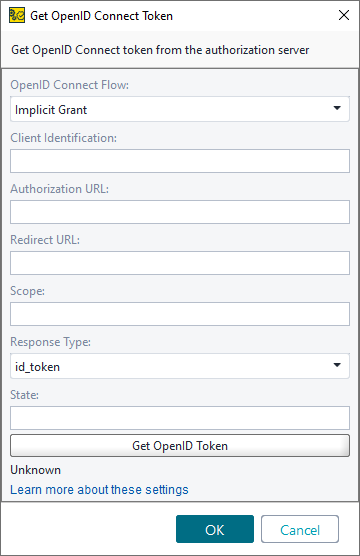 |
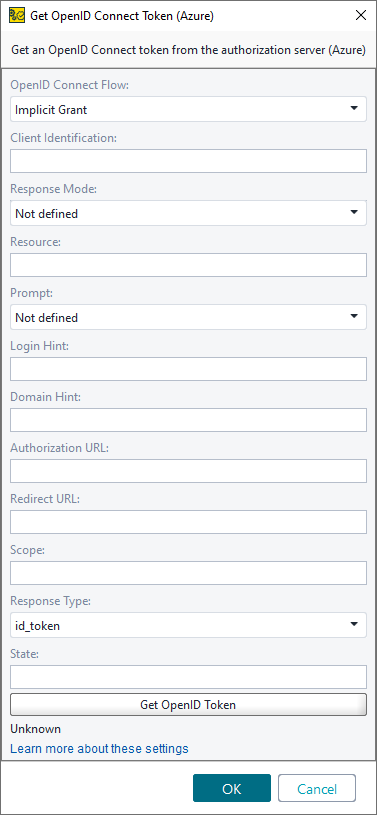 |
Option | Description |
|---|---|
OpenID Connect Flow | Sets the OpenID Connect method to use. |
Client Identification | An alphanumeric string used to identify the client. |
Response Mode | (Azure only) Specifies how the authorization server sends the access token. Available options:
|
Resource | (Azure only) The App ID URI of the web service. |
Prompt | (Azure only) Specifies whether the authentication server prompts the user to log in or to consent, even if they are already logged in. Possible values:
|
Authorization URL | The authorization server URL. |
Redirect URL | The URL you will be redirected to after successful authorization. |
Audience | Identifies the intended recipient of the ID token. Some OpenID Connect providers require this value to specify the target API or resource that accepts the token. |
Additional Parameters | Custom name–value pairs to include in the OpenID Connect implicit token request. ReadyAPI appends these parameters to the request and supports property expansion for their values. |
Scope | The full scope string defining the requested permissions. |
Response Type | The type of response received from the server. The following values are recognized: |
State | (Azure only) The value included in the request is also added to the token response. It is usually used to generate a random string to prevent cross-site request forgery attacks. |
Login Hint | (Azure only) The string is displayed as a login hint in the sign-in form. |
Domain Hint | (Azure only) Specifies the domain the user should use to sign in. |
Access Token URL | The URL to use to get an access token. |
Get OpenID Token | Click to retrieve the access token. |
Automation | Opens the Automated Token Profile editor. |