Kafka Testing
ReadyAPI supports testing event-driven APIs built on Apache Kafka, including both AsyncAPI 2.x and AsyncAPI 3.0 specifications. This page explains how Kafka works in the context of API testing and how to work with Kafka APIs in ReadyAPI.
Note
ReadyAPI supports AsyncAPI 2.x and 3.0 specifications. For more information, see AsyncAPI Support.
About Kafka and asynchronous APIs
Apache Kafka is an event streaming platform designed for scalable, fault-tolerant, and reliable delivery of event-driven or asynchronous APIs.
When a client sends a request to a RESTful, GraphQL, SOAP, or other synchronous API, it waits for a response. Asynchronous APIs work differently - the client does not need the server to respond immediately, and the server does not send one.
A typical asynchronous process looks like this:
A producer sends an event to a broker. An event is a piece of data to transmit - for example, a JSON object containing information about a transaction or details of a newly created object in a database. To separate one type of event from another, a producer sends it to one of the channels (or topics) specified within a broker.
A consumer subscribes to the required channel, receives the event, and works with it as needed by the business logic.
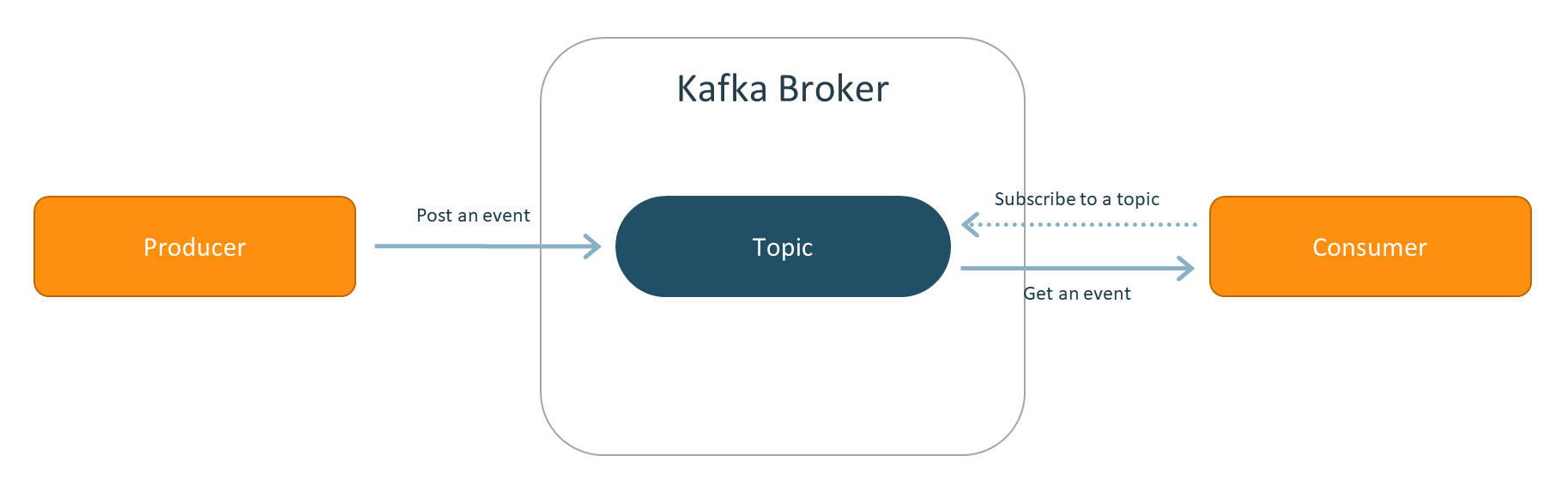 |
Imagine you have a web store. When a user logs in, a client application posts a login event. When a user creates an order, the client application posts another event with the order details. The client application no longer cares about it. In time, some internal application can get the order's data from the broker and handle it — for example, store it in a database or send a confirmation email.
Note
Here, we use AsyncAPI terminology. Kafka uses slightly different terms: publishers are called producers, subscribers are called consumers, and channels are called topics.
Requirements
To add a Kafka API to a project, you need any ReadyAPI license.
To test Kafka APIs, use the API Connection test step. To add it to a test case, you need a ReadyAPI Test Pro license. If you do not have it, try a ReadyAPI trial.
Working with Kafka in ReadyAPI
To test Kafka-based services in ReadyAPI, use the API Connection test step. This test step is linked to either the Publish or Subscribe Kafka operation (or Send/Receive in AsyncAPI 3.0). Depending on the base operation, the test step works as a producer or as a consumer.
Event serialization and schema registry
Kafka provides a way to serialize and deserialize events using schemas. There are two main reasons to do this. Serialization translates the event data into an array of bytes, keeping its size small and requiring fewer resources to store and transmit. Schemas also guarantee that a producer and a consumer understand each other.
When you use a schema, you bind a schema to a topic, so all events posted to that topic must comply with that schema. A schema registry is a dedicated service for storing schemas. Depending on your settings, the schema registry may also check compatibility with previous schema versions.
To serialize events in ReadyAPI:
Open the API Connection test step.
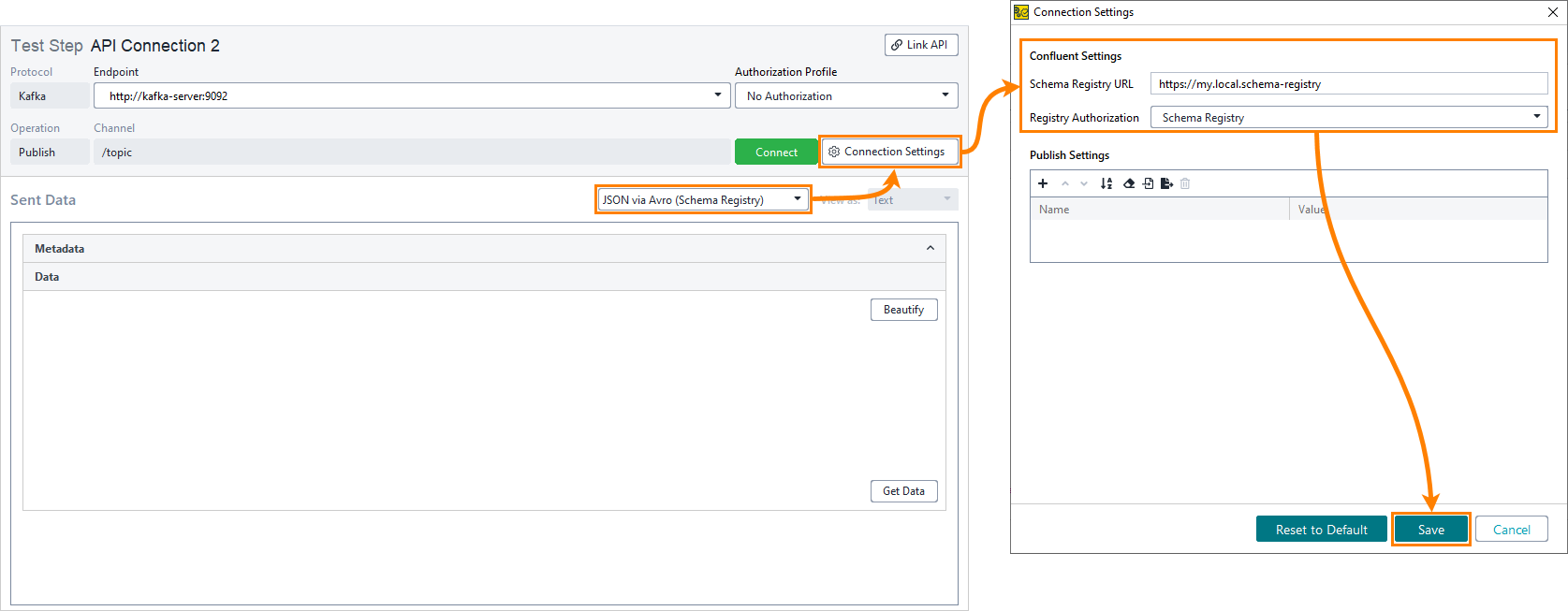
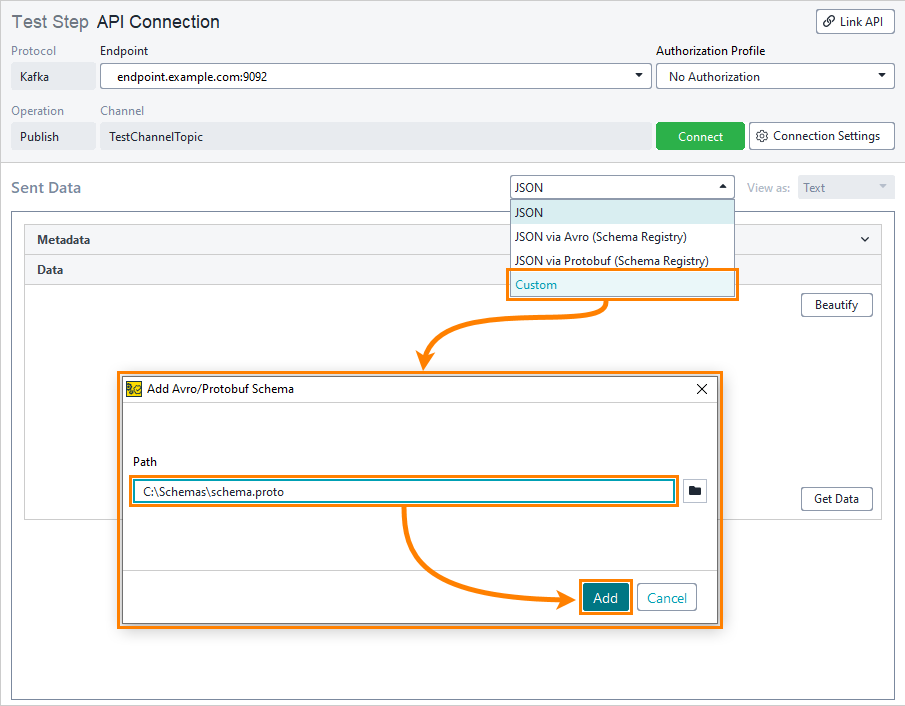
In the Message Type dropdown, select the serialization format. To use a schema registry, select JSON via Avro (Schema Registry) or JSON via Protobuf (Schema Registry). To use a file, select Custom.
Click Connection Settings:
If you use a schema registry, enter the Schema Registry URL in the Confluent Settings section and set Registry Authorization if needed.
If you use a file, in the Add Avro/Protobuf Schema dialog that appears, enter the path to the schema file in the Value Schema Path field, or click the folder icon to browse to it. Click Add.
Property list
Besides the test step editor, you can adjust test step behavior by using its properties in the Custom Kafka Test Step Properties panel in the Navigator.
ReadyAPI now supports custom Kafka test step properties. This tab contains:
Name | Description |
|---|---|
| The Endpoint property should be a string specifying the address of the Kafka broker. This property must be set during the execution of the test step due to property expansion. |
| The
This property should be updated each time a Kafka message is sent or received by the Kafka Publish or Subscribe test step. With each new execution, the current state of |
| This field contains key and value schemas used by the test step. We support Protobuf and Avro schemas. |
| The Channel property should be a string specifying the name of the channel selected for the test step. This property must be set during the execution of the test step due to property expansion. |
| The propertyName > propertyValue Support for this property should be added for both the Kafka Publish and Kafka Subscribe test steps. |
Property Expansion in Kafka
Use property expansions in a Kafka Test Step Property to dynamically update values.
Start ReadyAPI.
Right-click your project and select Project Settings from the context menu.
In the Project Settings dialog, add the following property and its value:
MaxIdle=1.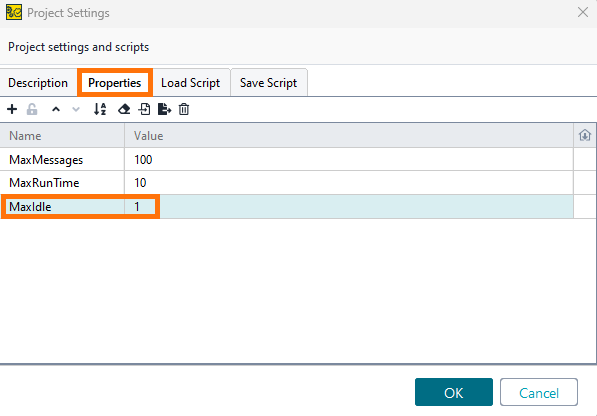
Add a property expansion in Connection Settings. For example, Idle Time =
${#Project#MaxIdle}.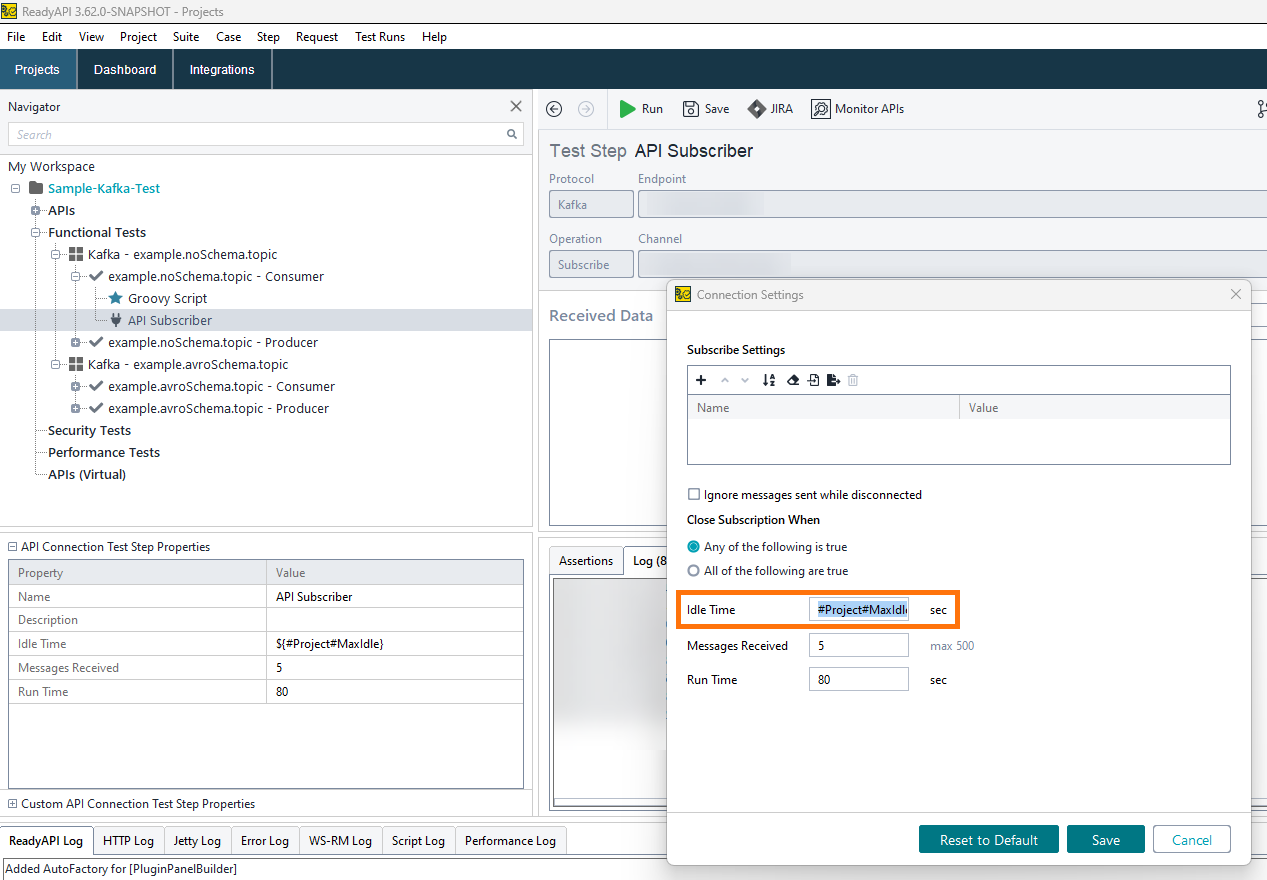
Save the project.
Validate: API Connection Test Step Properties matches Connection Settings: Idle Time property =
${#Project#MaxIdle}.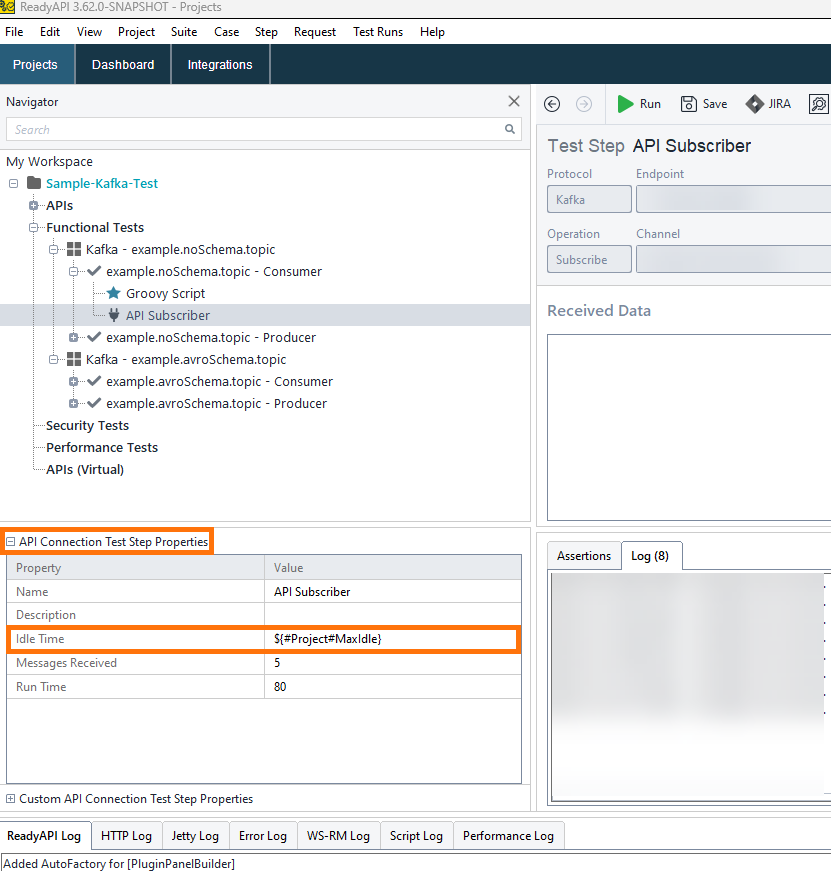
Confirm: When you run the API Subscriber, verify that it uses the value from the property expansion.